Managing an online store often means juggling messy data and fragmented customer interactions. For North American e-commerce owners and digital marketing managers, adopting AI chatbots can transform these everyday headaches into seamless conversations that increase sales and improve support. This guide shows how to harness smart integrations, curated templates, and strategic deployment for effective AI agent-powered engagement—so your store connects with customers where it matters most.
Table of Contents
- Step 1: Prepare Store Data And Configure Integrations
- Step 2: Select And Customize AI Agent Templates
- Step 3: Deploy Chat Widgets Across Sales Channels
- Step 4: Test Agent Actions And Validate Workflows
- Step 5: Optimize Agent Responses For Customer Satisfaction
Quick Summary
| Key Insight | Explanation |
|---|---|
| 1. Centralize and Clean Data | Gather all product, customer, and inventory data into one location and ensure it is free from duplicates and inconsistencies. |
| 2. Choose Appropriate Templates | Select AI agent templates based on your main use case, whether for sales or support, to accelerate setup. |
| 3. Implement Across All Channels | Deploy chat widgets on various platforms where customers interact, ensuring easy access to your AI agent. |
| 4. Test Extensively for Errors | Conduct thorough testing with realistic scenarios to identify and correct response issues before going live. |
| 5. Optimize Responses Regularly | Continuously analyze and improve your agent’s responses to enhance customer satisfaction through personalization and empathy. |
Step 1: Prepare store data and configure integrations
Your AI agent’s effectiveness depends entirely on having clean, organized store data and proper system connections. This step sets the foundation for your agent to access product information, customer records, and inventory in real time.
Start by auditing your current data sources. You likely have product catalogs, customer purchase histories, inventory levels, and order information scattered across different systems. Gather this data into a centralized location where your AI agent can access it reliably.
Key data to prepare:
- Product information (names, descriptions, prices, SKUs, images)
- Inventory levels and stock status
- Customer purchase history and preferences
- Order details and transaction records
- Product categories and attributes
Next, clean your data. Remove duplicates, standardize formatting, and fix missing values. An AI agent working with messy data will make poor recommendations and provide inaccurate information to customers. Spend time here—it prevents headaches later.
Aggregating store data such as sales records, inventory levels, and customer interactions allows your AI agent to understand your business specifics and operate with context. Your agent needs this organized, accessible information to function effectively.
Now configure your integrations. Connect your AI agent to your e-commerce platform, inventory management system, and customer database. This enables your agent to pull real-time product details, check stock availability, and retrieve customer order history during conversations.
Integration steps:
- Map your data sources to your AI agent platform
- Set up API connections between systems
- Configure authentication and access permissions
- Test data retrieval to ensure accuracy
- Schedule regular data synchronization
Proper data preparation and integration configuration are not optional—they determine whether your agent succeeds or fails in real customer conversations.
Verify that your agent can actually retrieve information. Test by asking it to look up a product, check inventory for an item, or retrieve a recent order. These tests reveal connection issues before your agent goes live with real customers.
Pro tip: Start with your 100 most popular products and best-performing customer segments when testing. Once those work perfectly, gradually expand to your full catalog. This approach catches problems early and builds confidence before going live.
Here is a summary of common pitfalls during AI agent data preparation and how to mitigate them:
| Pitfall | Consequence | Mitigation Strategy |
|---|---|---|
| Inconsistent product data | Agents make inaccurate recommendations | Standardize formats, regular audits |
| Missing customer records | Incomplete personalization and history lookup | Fill gaps, enforce data completeness |
| Weak integration links | Delayed or failed data retrieval | Test APIs, monitor connection health |
| Outdated inventory info | Display of unavailable products | Schedule frequent data syncs |
Step 2: Select and customize AI agent templates
Rather than building an AI agent from scratch, you’ll select a pre-built template designed for e-commerce and then customize it to match your store’s specific needs. This saves months of development time and gets you operational faster.
Start by identifying what your agent needs to do. Will it primarily handle sales conversations and product recommendations? Answer customer support questions about orders and returns? Handle both? Your main use case determines which template category fits best.
Common e-commerce agent templates include:
- Sales agents that guide customers through product discovery
- Support agents that answer questions and process returns
- Recommendation agents that suggest complementary products
- Hybrid agents that blend sales and support functions
Browse available templates in your AI agent platform. Look for options built specifically for e-commerce or retail. Preconfigured templates can be customized to reflect specific organizational workflows and customer engagement goals, allowing you to skip basic configuration work.
Select a template that aligns with your primary business goal. If you’re focused on increasing sales, choose a sales-oriented template. If customer satisfaction matters most, pick a support-focused template. You can always adjust later, but starting with the right foundation makes customization easier.
Now customize the template to your brand and business. This involves adjusting conversation flows, integrating your product data, and defining how the agent should behave.
Key customization areas:
- Update greeting messages and tone to match your brand voice
- Configure product database connections
- Set up escalation rules for complex customer issues
- Define which actions the agent can take (apply coupons, process returns)
- Enable multi-language support if serving diverse customers
The right template cuts implementation time dramatically while ensuring your agent has a proven foundation to build from.
Test your customizations thoroughly. Have team members chat with your agent and confirm it handles your most common customer questions correctly. Verify it accesses your product data properly and provides accurate information.
Pro tip: Start by customizing just enough to get your agent live with a small group of customers, then refine based on their actual conversations. Real feedback reveals what matters most—and what you’ll never need.
The table below compares four popular e-commerce AI agent template types and their primary business value:
| Template Type | Main Function | Best For |
|---|---|---|
| Sales | Product discovery, guided buying | Boosting conversion rates |
| Support | Order queries, return processing | Enhancing customer satisfaction |
| Recommendation | Suggesting add-ons and bundles | Increasing average order value |
| Hybrid | Blend sales/support, multitasking | Maximizing engagement coverage |
Step 3: Deploy chat widgets across sales channels
Your AI agent is ready, but customers need a way to access it. Deploying chat widgets across your sales channels puts your agent in front of customers wherever they shop. Think of this as placing your agent at every digital checkout counter.
Start by identifying all the places customers interact with your store. Your website’s homepage and product pages are obvious. But also consider your mobile app, social media channels like Messenger and Instagram, email communications, and marketplace listings. Each touchpoint is an opportunity to engage customers with your AI agent.
Primary deployment channels for e-commerce:
- Your main website and product pages
- Mobile app or mobile-optimized store
- Facebook Messenger and Instagram
- WhatsApp for direct customer communication
- Email footer or signature for customer inquiries
Implementing chat widgets across these channels is simpler than you might expect. Deploying chat widgets across multiple portals using a single script tag simplifies managing chat across sales channels and reduces the technical complexity significantly.
Start with your website. Copy the widget code snippet provided by your AI agent platform and paste it into your website’s HTML. Most modern e-commerce platforms like Shopify and WooCommerce make this even easier through visual builders that require no coding.
Next, configure how your widget appears and behaves on each channel. Set the widget position (bottom right corner, side panel, or full width). Choose your timing rules (appear immediately or after customer scrolls). Customize the welcome message to match each channel’s context.

Then deploy to secondary channels systematically. Test each integration thoroughly before going live. Verify customers can initiate conversations, that your agent responds correctly, and that responses display properly on mobile devices.
Deployment checklist:
- Install widget code on website
- Configure widget appearance and behavior
- Test on desktop and mobile browsers
- Connect social media channels
- Set up email integrations
- Monitor performance across channels
A chat widget customers can’t find is worthless. Strategic placement on your highest-traffic pages drives real engagement.
Enable notifications so your team knows when customers need human support. Most platforms let you configure escalation rules that automatically alert humans for complex issues your agent can’t handle.
Pro tip: Deploy to your website first, collect feedback from real customers for one week, then expand to other channels. This approach reveals widget placement issues early and prevents deployment problems across multiple platforms simultaneously.
Step 4: Test agent actions and validate workflows
Before your AI agent handles real customer conversations, you need to rigorously test it. Testing reveals problems while you can still fix them, not after frustrated customers encounter failures. This step ensures your agent performs reliably when it matters.
Begin with offline testing using realistic scenarios. Write out conversations your customers actually have. Ask about product details, inquire about shipping, request returns. Feed these conversations to your agent and verify it responds accurately without errors.
Focus on these critical validation areas:
- Conversational coherence and natural language understanding
- Accurate product information retrieval and recommendations
- Correct order lookup and customer history access
- Proper coupon application and discount calculations
- Appropriate escalation to human agents
Effective evaluation requires offline testing with curated datasets and simulated conversations, human-in-the-loop validation, and continuous monitoring in production to ensure workflows function as designed and improve customer experience.
Test specific agent actions systematically. If your agent can apply coupons, test with valid and invalid codes. If it processes returns, walk through the complete return workflow. Verify each action executes correctly and provides appropriate feedback to customers.
Create a test checklist covering your agent’s core capabilities. Run through it multiple times with different scenarios. Document any failures and fix them before proceeding to production.
Action testing checklist:
- Product searches return accurate results
- Recommendations are relevant to customer queries
- Order lookups retrieve correct customer orders
- Coupon codes apply discount amounts properly
- Return requests trigger correct workflows
- Agent escalates to humans when needed
A single failure in production damages customer trust. Thorough testing catches problems before customers encounter them.
Next, conduct human-in-the-loop testing with your team. Have customer service representatives, sales staff, and even a few trusted customers interact with your agent. Their real conversations reveal blind spots your scripted tests miss.
Monitor these test conversations closely. Watch for responses that seem odd, product information that’s inaccurate, or workflows that break down. Take detailed notes on what works and what needs adjustment.
Pro tip: Test with the exact types of customers you serve most. If 40% of your customers ask about shipping to Canada, ensure your test scenarios include Canadian address questions. Real-world testing beats theoretical scenarios every time.
Step 5: Optimize agent responses for customer satisfaction
Your agent is working, but is it actually satisfying customers? Optimization turns a functioning agent into one that customers genuinely prefer talking to. This step focuses on refining responses to be faster, more empathetic, and more personalized.
Start by analyzing actual customer conversations. Review dozens of interactions your agent has had. Look for patterns where customers seem satisfied versus frustrated. Pay attention to where conversations end smoothly and where they break down unexpectedly.
Identify these key improvement areas:
- Response time and speed to resolution
- Tone and empathy in agent language
- Personalization based on customer history
- Clarity of explanations and instructions
- Appropriateness of escalations to humans
AI agents that provide fast, empathetic, and personalized responses improve customer satisfaction by scaling human oversight and ensuring quality interactions. Focus your optimization efforts on these three dimensions specifically.
Start with response speed. Slow responses frustrate customers. If your agent takes 10 seconds to answer a simple question, that’s too long. Optimize data queries, streamline conversation flows, and remove unnecessary steps. Aim for responses within 2-3 seconds for straightforward inquiries.
Next, enhance empathy and tone. Your agent shouldn’t sound robotic or overly formal. Review response templates and rewrite them with warmth and understanding. Instead of “Your return request has been processed,” try “We’ve received your return request and will send you a prepaid shipping label by tomorrow.”
Then personalize at scale. Use customer history to inform responses. If a customer previously asked about a specific product, reference their past interest. If they’re a loyal repeat buyer, acknowledge that. Personalization makes interactions feel less automated and more genuinely helpful.
Optimization priorities:
- Speed up response generation time
- Rewrite templates with warmer language
- Integrate customer history into responses
- Add relevant context from previous conversations
- Test new response versions with real customers
The best agent response is one that feels like talking to a knowledgeable, caring friend—not a machine reading from a script.
Monitor satisfaction metrics continuously. Track customer satisfaction scores, repeat issue rates, and escalation frequency. When satisfaction drops after a change, revert it immediately. When it improves, double down on that approach.
Create a feedback loop where customer service representatives flag responses that didn’t work well. Use that feedback to refine agent behavior continuously, not just once at launch.
Pro tip: Record customer satisfaction scores before and after each optimization change. Small improvements compound dramatically over time—even a 2% increase in satisfaction scores leads to measurably higher customer lifetime value and repeat purchases.
Unlock E-Commerce Success with Tailored AI Agents Today
The article highlights a common challenge for online retailers: deploying AI agents that truly understand your store data, deliver real-time personalized interactions, and seamlessly connect across multiple sales channels. With key steps like preparing clean data, customizing AI templates for sales and support, and ensuring flawless deployment through chat widgets, it is clear that success depends on having a powerful, easy-to-integrate platform designed specifically for e-commerce.
Agenized provides exactly that solution. Our SaaS platform empowers you to accelerate every phase of this workflow by offering customizable AI agents that handle product discovery, real-time actions like order retrieval and coupon application, and smooth escalations to your human teams. Now you can deploy intelligent chat widgets on your website, Messenger, WhatsApp, Instagram, and more without complex setups. Experience faster implementation, richer customer conversations, and higher satisfaction all while boosting sales and automating support.
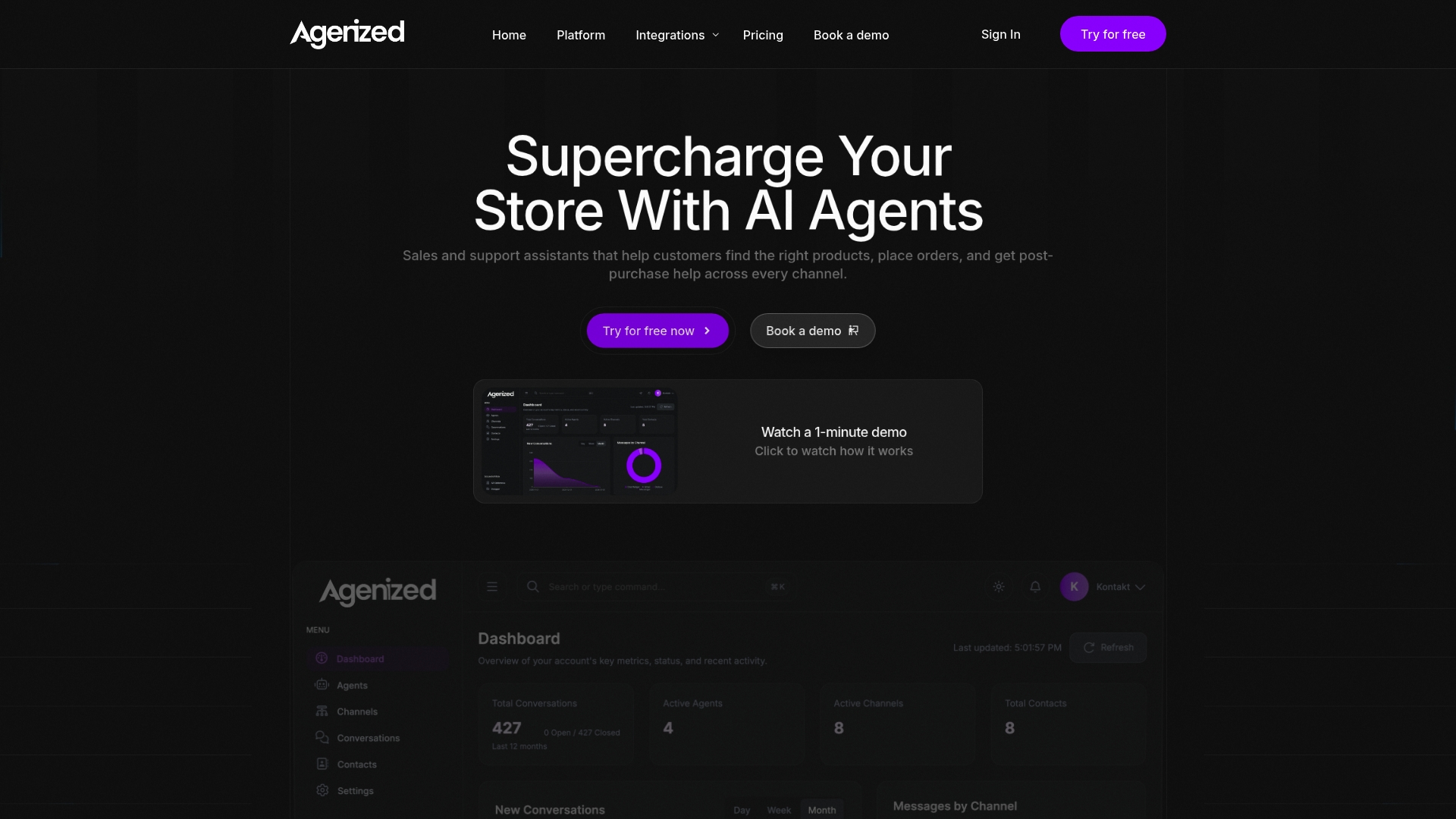
Ready to bridge the gap between AI potential and real-world e-commerce performance? Visit Agenized now and discover how our AI-powered sales and support agents are transforming online stores like yours. Don’t wait — streamline your customer journeys and increase conversions today with proven AI workflows you can trust.
Frequently Asked Questions
What are the first steps to prepare store data for my AI agent?
To prepare store data for your AI agent, start by gathering product information, customer purchase history, inventory levels, and order details into a centralized location. Ensure you clean and organize this data by removing duplicates and fixing missing values to set a strong foundation for your agent’s effectiveness.
How do I choose the right AI agent template for my e-commerce business?
Select an AI agent template based on your main business goals, such as boosting sales or enhancing customer support. Browse available templates in your AI platform, and choose one that aligns with your priorities to streamline customization and implementation.
What are the key integration steps for connecting my AI agent to my existing systems?
Key integration steps include mapping your data sources to the AI agent platform, setting up API connections, configuring authentication and access permissions, and testing data retrieval. Make sure to perform regular data synchronization to keep information accurate and up-to-date.
How can I ensure my AI agent provides accurate responses before going live?
Conduct thorough testing of your AI agent using real-life customer scenarios to validate its conversational coherence and accuracy in retrieving product information. Create a test checklist covering core capabilities, and fix any identified issues before launching the agent publicly.
What should I prioritize when optimizing my AI agent’s responses for customer satisfaction?
When optimizing your AI agent’s responses, focus on improving response speed, enhancing empathy in language, and personalizing interactions based on customer history. Aim for response times within 2-3 seconds and incorporate customer insights to create a more engaging experience.
How can I deploy my AI agent chat widget across various sales channels?
To deploy your AI agent chat widget across multiple sales channels, start by implementing it on your main website and then extend it to mobile apps, social media platforms, and email communications. Ensure to customize the widget’s appearance and behavior for each channel, and test each integration to confirm functionality.